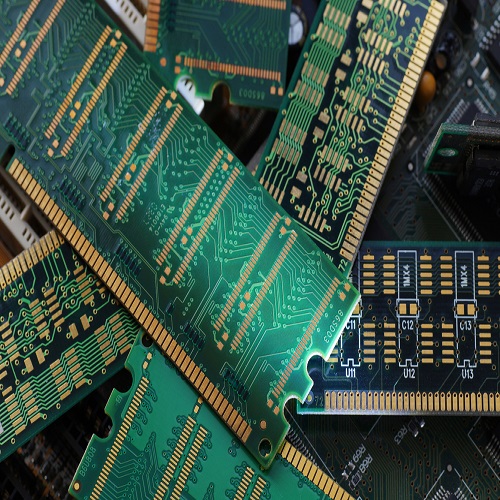

In the rapidly evolving world of IT hardware, server memory has become a critical component for ensuring efficient and reliable computing operations. Server memory, often referred to as RAM for servers, plays a vital role in determining how fast and effectively a server can process data. Unlike standard desktop memory, server memory is designed to handle intensive workloads, higher data throughput, and continuous operation without interruptions. Organizations investing in quality server memory not only enhance the performance of their IT infrastructure but also ensure longevity and stability in high-demand computing environments.
Server memory is an essential part of computer hardware that directly impacts server performance. From handling large-scale databases to running virtual machines, the right server memory configuration can significantly influence operational efficiency. IT professionals often focus on selecting memory modules that provide high-speed access, error correction capabilities, and compatibility with modern server architectures. This article delves into the nuances of server memory, its types, benefits, and considerations for optimal performance.
Understanding Server Memory
Server memory differs from consumer-grade memory in several key aspects. Firstly, server memory modules are built for continuous 24/7 operation, which is crucial in enterprise environments. Secondly, server memory often incorporates ECC (Error-Correcting Code) technology, allowing it to detect and correct data corruption automatically. This feature ensures data integrity, which is essential in mission-critical applications such as financial systems, cloud computing, and large-scale data analytics.
Another significant distinction lies in performance and capacity. Servers typically require higher memory capacity than personal computers, often ranging from tens to hundreds of gigabytes per system. Additionally, server memory must support advanced features like multi-channel architecture, registered/buffered modules, and compatibility with high-end processors. By investing in high-quality server memory, IT professionals ensure that their computer hardware can handle concurrent processes without bottlenecks, enabling seamless operation of enterprise applications.
Types of Server Memory
There are several types of server memory, each suited for specific applications and workloads. The most common types include DDR4 and DDR5 ECC memory, which are widely used in modern servers. DDR4 ECC memory offers a balance of speed, stability, and cost-effectiveness, making it a popular choice for many enterprise setups. DDR5 memory, on the other hand, provides higher data rates and increased bandwidth, ideal for cutting-edge applications requiring peak performance.
Registered memory (RDIMM) and load-reduced memory (LRDIMM) are other notable types of server memory. RDIMM reduces the electrical load on the memory controller, allowing more memory modules to be installed without compromising stability. LRDIMM further reduces memory load, enabling even higher capacity configurations for large-scale servers. These advancements in server memory technology are crucial for IT infrastructure that demands reliability, speed, and scalability.
Importance of Server Memory in IT Infrastructure
Server memory is a foundational element of IT hardware, directly impacting the efficiency of enterprise operations. Insufficient or low-quality server memory can result in slow data processing, application crashes, and system downtime, which can have serious consequences for businesses relying on real-time data access.
In modern IT environments, servers are tasked with managing vast amounts of information, from cloud-based applications to virtualized environments. The right server memory ensures smooth multitasking, faster response times, and optimal use of computing resources. Additionally, server memory contributes to energy efficiency, as advanced modules consume less power while maintaining high performance. Investing in reliable server memory is not just about performance—it’s about maintaining the integrity, security, and continuity of critical business operations.
Key Considerations When Choosing Server Memory
Selecting the right server memory requires careful evaluation of several factors. Compatibility with the server motherboard and processor is paramount. IT professionals must ensure that the chosen memory modules are supported by the server platform to avoid performance issues or system instability.
Capacity is another crucial consideration. Businesses should analyze current workloads and anticipate future growth to determine the optimal amount of server memory. Over-provisioning memory can lead to unnecessary costs, while under-provisioning can restrict performance and scalability. Speed and latency are equally important, as faster memory improves data throughput and reduces processing delays. Additionally, features like ECC support and buffered or registered modules should be considered based on the specific requirements of the IT environment.
Server Memory for Virtualization and Cloud Computing
Virtualization has revolutionized modern IT infrastructure by enabling multiple virtual machines to run on a single physical server. Server memory is a critical factor in virtualization performance, as each virtual machine requires dedicated memory resources. Insufficient memory allocation can lead to degraded performance, impacting applications and end-user experience.
In cloud computing environments, server memory plays a pivotal role in resource allocation and workload management. Cloud service providers rely on high-performance server memory to handle dynamic workloads efficiently. Scalable and reliable memory ensures that multiple tenants can access services without experiencing slowdowns or interruptions. As organizations increasingly adopt cloud solutions, the demand for advanced server memory solutions continues to grow.
Enhancing Server Performance Through Memory Optimization
Optimizing server memory involves not only selecting the right modules but also implementing effective memory management strategies. Techniques such as memory caching, load balancing, and memory tiering help maximize the performance of server hardware. IT administrators can monitor memory usage, identify bottlenecks, and adjust configurations to ensure optimal performance under varying workloads.
Moreover, regular maintenance and timely upgrades are essential for maintaining server memory efficiency. As software applications evolve and data volumes increase, upgrading server memory ensures that IT infrastructure can meet current and future demands. Properly managed server memory reduces downtime, enhances processing speed, and contributes to overall system reliability, making it an indispensable part of computer hardware strategy.
Benefits of High-Quality Server Memory
Investing in high-quality server memory offers multiple advantages for businesses. Firstly, it ensures faster data processing, reducing latency and improving overall system responsiveness. Secondly, it enhances system stability, minimizing the risk of crashes and data corruption. ECC-enabled server memory, in particular, provides a safety net for critical applications by detecting and correcting errors in real time.
Another significant benefit is scalability. High-performance server memory allows businesses to expand their IT infrastructure seamlessly, accommodating growth without compromising performance. Additionally, energy-efficient memory modules contribute to cost savings by reducing power consumption and cooling requirements. By prioritizing quality server memory, organizations can achieve a balance between performance, reliability, and cost-effectiveness, ensuring sustainable IT operations.
Common Challenges in Server Memory Management
Despite its importance, managing server memory comes with challenges. One common issue is memory fragmentation, which can occur when memory resources are not allocated efficiently. Fragmentation can lead to wasted memory space and degraded performance. IT administrators must regularly monitor memory usage and implement strategies to minimize fragmentation.
Another challenge is ensuring compatibility across different server models and memory types. Mismatched modules or unsupported configurations can result in system instability or failure. Furthermore, rapidly evolving technology means that older server memory may become obsolete, requiring careful planning for upgrades and replacements. Addressing these challenges proactively ensures that server memory continues to support enterprise computing needs effectively.
Future Trends in Server Memory
The future of server memory is shaped by advancements in IT hardware and computing technologies. DDR5 memory is expected to become the standard, offering higher bandwidth, lower latency, and improved energy efficiency. Innovations in 3D-stacked memory and persistent memory are also gaining traction, providing new ways to enhance server performance and reliability.
As artificial intelligence, machine learning, and big data analytics become integral to business operations, server memory will play an increasingly critical role in supporting complex workloads. Enterprises will require memory solutions that offer not only speed and capacity but also reliability and security. The evolution of server memory technologies ensures that IT infrastructure can keep pace with growing computational demands and emerging digital trends.
Conclusion
Server memory is an indispensable component of modern IT and computer hardware. Its role extends beyond basic data storage, influencing server performance, reliability, and scalability. From ECC-enabled modules to high-capacity DDR5 solutions, server memory provides the foundation for efficient, secure, and high-performance IT infrastructure.
By carefully selecting, optimizing, and managing server memory, businesses can ensure smooth operations, minimize downtime, and support future growth. As technology continues to evolve, staying informed about server memory trends and best practices is essential for IT professionals seeking to maximize the potential of their computer hardware investments.